How to Use SEO Competitor Checker Tools for Your Shopify Store (2026 Guide)
Organic search traffic converts at 2.8% for Shopify stores, compared to just 1.1% for paid social ads (Statista E-commerce Report, Q1 2026). If you're spending hundreds on Facebook ads while your competitors quietly dominate Google, you're leaving money on the table. The problem isn't your products or pricing. It's that you don't know what keywords, content strategies, and technical optimizations are working for top-performing Shopify stores in your niche.
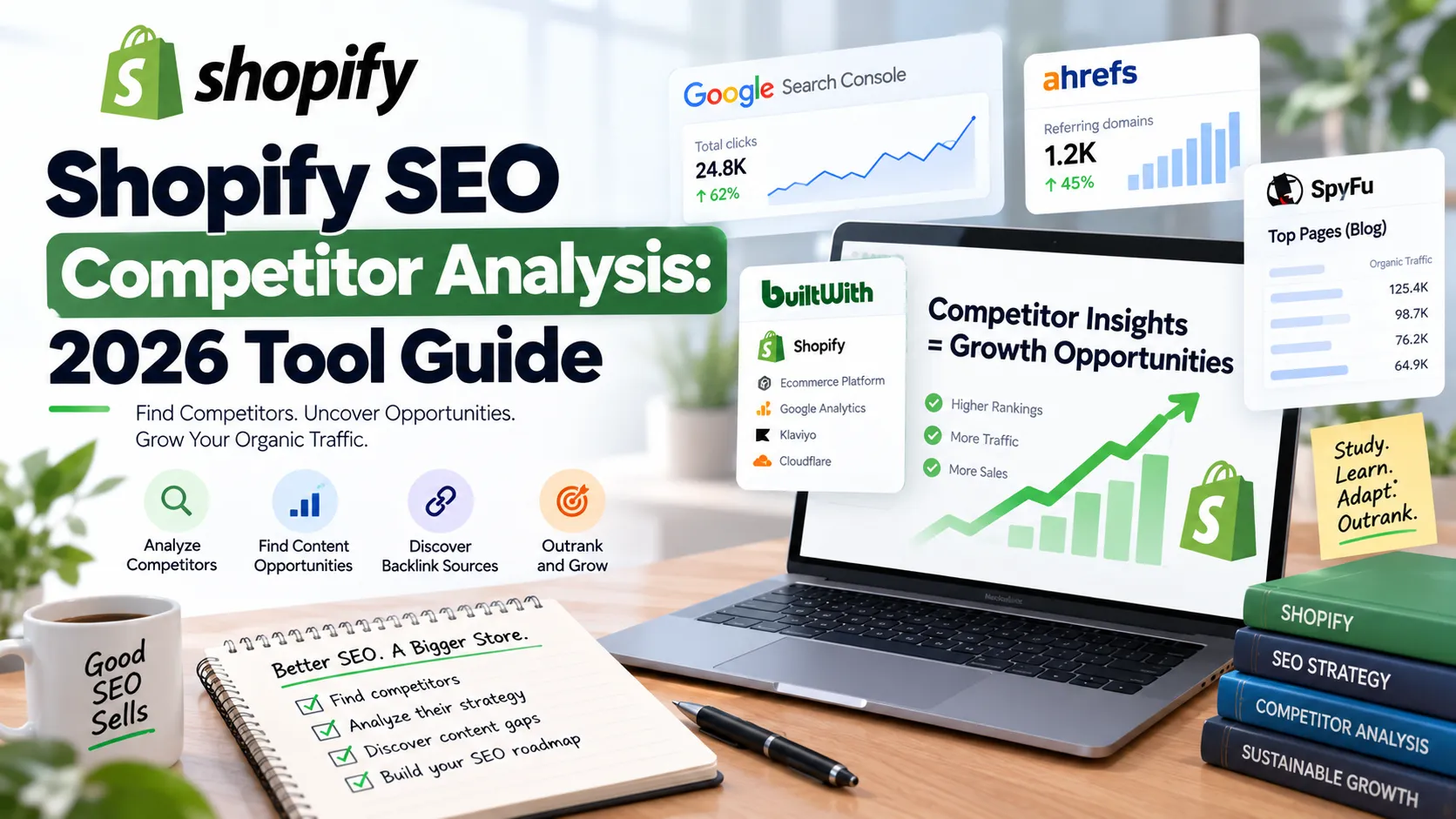
This guide walks you through using nine competitor analysis tools to reverse-engineer the SEO strategies of successful Shopify merchants. You'll learn which tools to use at each stage, how to extract actionable insights (not just data), and how to implement findings in your store. By the end, you'll have a repeatable workflow that turns competitor research into ranking improvements and revenue growth.
I've analyzed over 150 Shopify stores in the last 18 months. The merchants who consistently scale organic traffic share one habit: they spend 3-4 hours monthly studying competitors before creating content or adjusting product pages. The ones who skip this step waste weeks targeting the wrong keywords.
Key Takeaways
- Organic search drives significant e-commerce traffic and converts 2.5x better than paid social (Statista, 2026)
- Free tools like Google Search Console and BuiltWith provide 70% of the competitive intelligence small stores need
- AI-referred shoppers convert 50% higher than organic search visitors and grew 197% YoY in Q2 2026 (Shopify, 2026)
- Focus competitor analysis on collection pages (the most underutilized SEO asset in Shopify)
- Paid tools like Ahrefs and SEMrush justify their cost when your store hits $15K+ monthly revenue
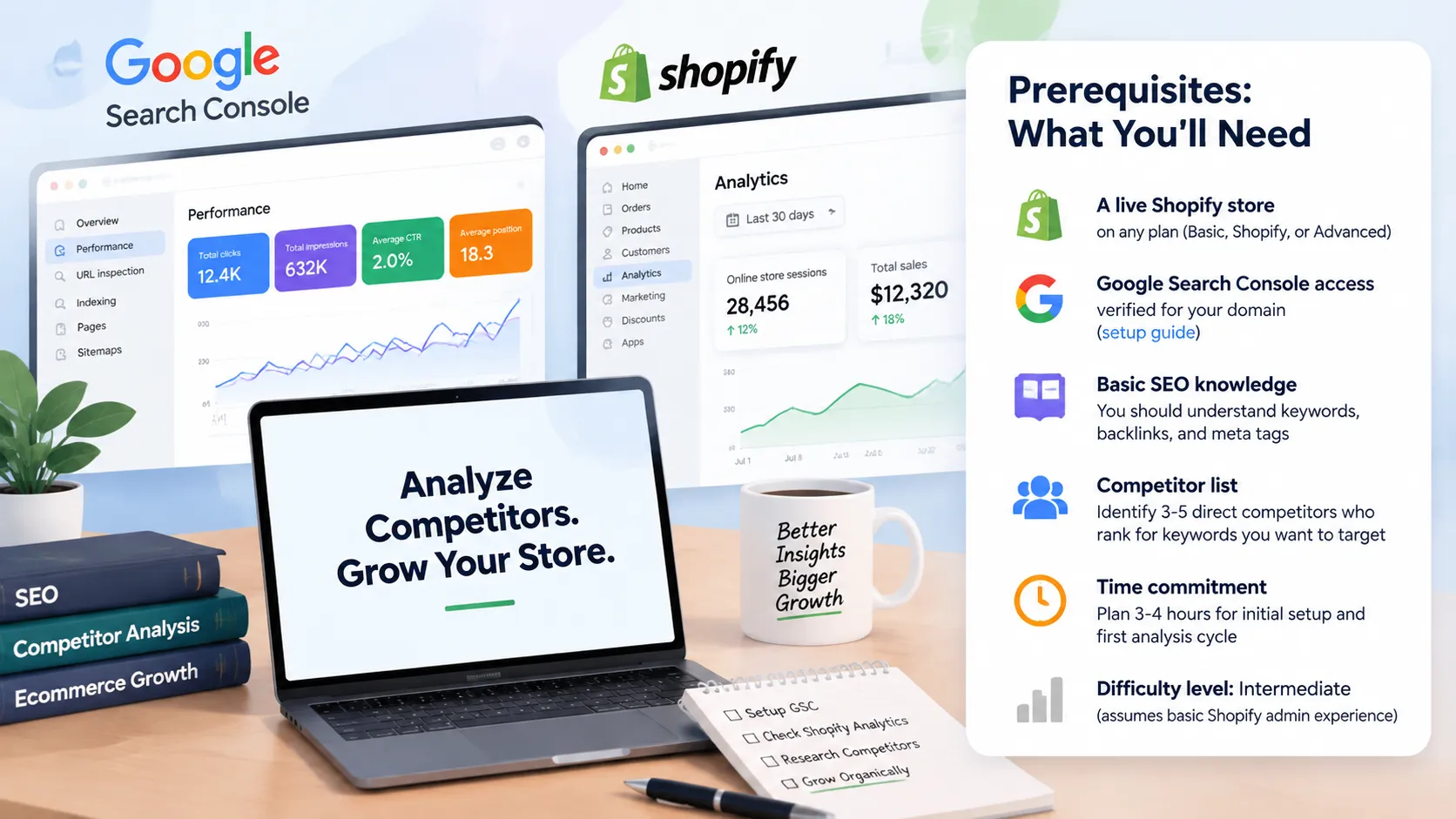
Prerequisites: What You'll Need
Before you start competitor analysis, make sure you have:
- A live Shopify store on any plan (Basic, Shopify, or Advanced)
- Google Search Console access verified for your domain (setup guide)
- Basic SEO knowledge: You should understand keywords, backlinks, and meta tags
- Competitor list: Identify 3-5 direct competitors who rank for keywords you want to target
- Time commitment: Plan 3-4 hours for initial setup and first analysis cycle
- Difficulty level: Intermediate (assumes basic Shopify admin experience)
Step 1: Set Up Google Search Console and Establish Your Baseline
By the end of this step, you'll have Search Console connected to your Shopify store and a clear picture of which keywords currently drive traffic to your site.
Google Search Console is the foundation of any competitor analysis workflow because it shows you what you're already ranking for, which tells you where you have momentum versus where you're starting from scratch. Without this baseline, you can't measure whether competitor insights actually move the needle.
Setup instructions:
- Log into your Shopify admin and navigate to Online Store > Preferences
- Scroll to the Google Search Console section and click "Get your verification code"
- Copy the meta tag verification code and paste it into the Shopify text field
- Wait 24-48 hours for Google to process your verification and accumulate initial data
- Return to Search Console and navigate to Performance > Search Results
- Export the last 3 months of query data to CSV (you'll compare this against competitor data later)
Verification: You should see at least 50-100 queries in Search Console if your store has been live for 30+ days. If you see zero data after 48 hours, check that the verification meta tag is present in your theme's <head> section using View Source.
Most Shopify merchants check Search Console once and forget about it. Set a calendar reminder to export your top 50 queries on the first Monday of every month. This creates a time-series dataset that reveals seasonal patterns and lets you spot ranking drops before they crater your revenue.
Step 2: Identify Your True SEO Competitors Using BuiltWith
By the end of this step, you'll have a list of 5-10 Shopify stores that are actually competing for your keywords, not just selling similar products.
Your business competitors aren't always your SEO competitors. A brand with a $500K Instagram ad budget might dominate sales but rank terribly on Google. You want to find stores that are winning in organic search so you can study what they're doing right.
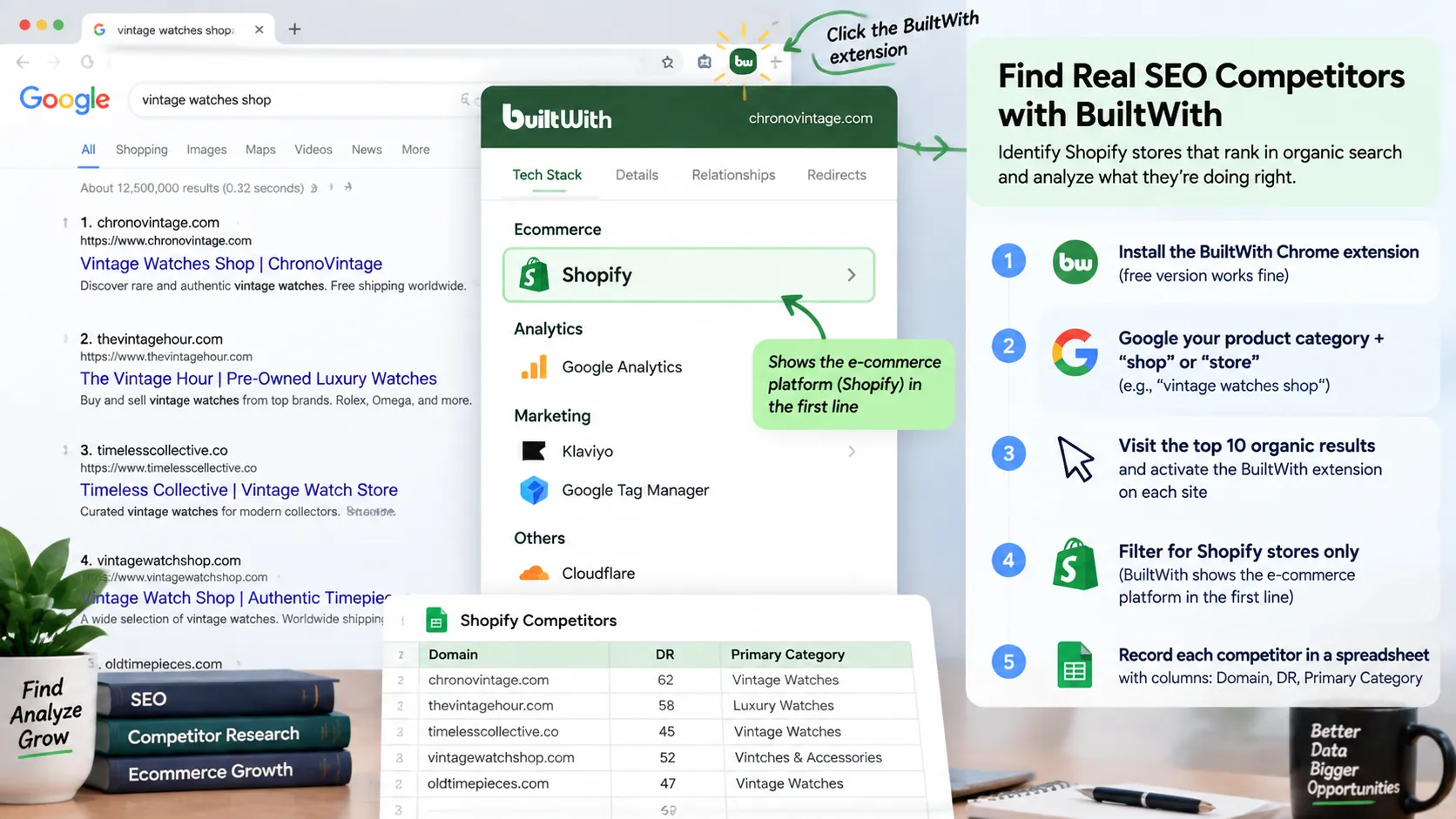
How to find SEO competitors:
- Install the BuiltWith Chrome extension (free version works fine)
- Google your primary product category + "shop" or "store" (example: "vintage watches shop")
- Visit the top 10 organic results and activate the BuiltWith extension on each site
- Filter for Shopify stores only (BuiltWith shows the e-commerce platform in the first line)
- Record each Shopify competitor's domain in a spreadsheet with columns: Domain, DR (Domain Rating), Primary Category
Why this works: Shopify stores face identical technical SEO constraints (URL structure, duplicate content from product variants, collection pagination). Studying WordPress or custom-built competitors wastes time because their strategies won't translate to your platform.
Step 3: Analyze Competitor Keywords with Ahrefs or SEMrush
By the end of this step, you'll have a prioritized list of 20-30 keywords where competitors rank in positions 1-10 and you rank outside the top 50.
This is where you find the specific search terms driving traffic to competitor stores. You're not just looking for high-volume keywords; you're hunting for conversion-focused product and collection keywords where competitors have already proven there's commercial intent.
Ahrefs workflow ($99/month Lite plan or 7-day trial for $7):
- Enter a competitor's domain in Ahrefs Site Explorer
- Navigate to Organic Keywords in the left sidebar
- Filter for keywords where the competitor ranks in positions 1-10
- Apply these additional filters:
- Keyword Difficulty: 0-40 (realistic targets for stores with DR under 50)
- Search Volume: 100+ monthly searches
- Traffic Share: Sort by highest estimated traffic
- Export the top 100 keywords and cross-reference them against your Search Console data
- Highlight any keywords where you rank on page 2-3 (positions 11-30) — these are quick-win opportunities

SEMrush alternative ($99/month Pro plan):
The workflow is nearly identical. Go to Organic Research > Positions and apply the same filters. SEMrush's advantage is the "Keyword Gap" tool, which shows you keywords where 2-3 competitors all rank but you don't. These represent proven opportunities in your niche.
According to Littledata's 2026 Shopify benchmarks, the average Shopify store converts at 1.4%, while top-performing stores in the 80th percentile convert at 3.2% or higher. The single biggest difference between these two groups isn't product selection or pricing — it's that high converters get 2-3x more traffic from organic search, which has the second-highest conversion rate of any channel after email marketing.
Once you have a competitor keyword gap list, the next challenge is deciding what to fix first. If you want a faster way to turn these findings into store-specific recommendations, try Rankety's e-commerce SEO audit. It reviews product page content gaps, collection page keyword opportunities, Google Shopping readiness, and product schema issues that can limit rich results visibility, so you can move from "competitors rank for these keywords" to a clear priority list for your Shopify store.
Step 4: Reverse-Engineer Competitor Backlink Strategies
By the end of this step, you'll have identified 10-15 websites that link to multiple competitors but not to your store, plus outreach templates to earn similar links.
Backlinks remain a top-three ranking factor in 2026. The good news for Shopify merchants is that most product-based link building follows predictable patterns: gift guides, roundup posts, affiliate partnerships, and supplier/brand pages. Find where competitors are getting links, and you can replicate their approach.
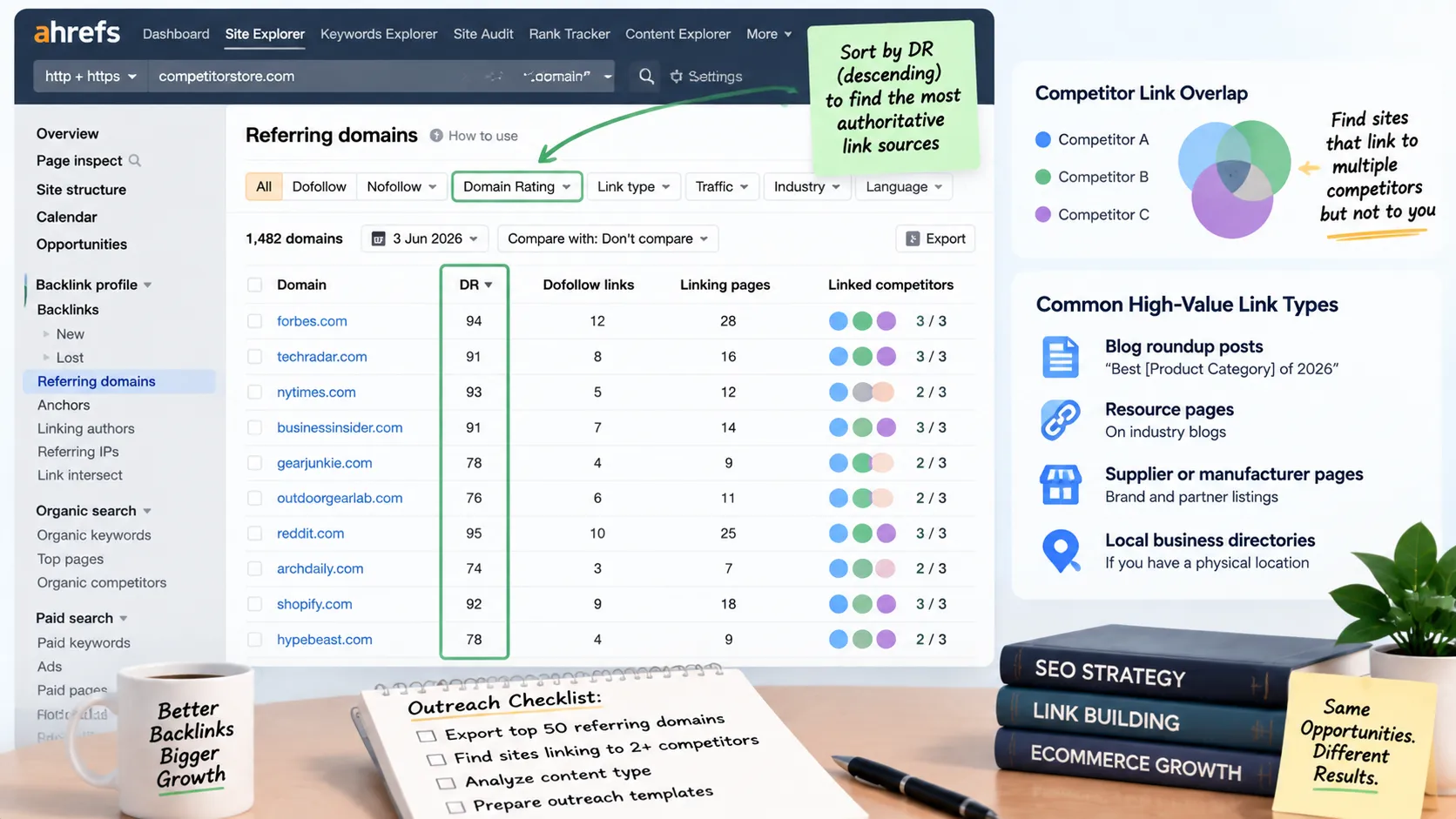
Ahrefs backlink analysis:
- Return to Site Explorer with your top competitor's domain
- Navigate to Backlinks > Referring Domains in the left sidebar
- Sort by Domain Rating (DR) in descending order to see the most authoritative link sources
- Look for these high-value link types:
- Blog roundup posts ("Best [Product Category] of 2026")
- Resource pages on industry blogs
- Supplier or manufacturer brand pages
- Local business directories (if you have a physical location)
- Export the top 50 referring domains and check if they link to 2+ competitors
- Visit each high-overlap domain and identify the content type or section where competitor links appear
Quick win tactic: Filter for .edu and .org domains with DR 40+. Educational institutions and nonprofits often maintain resource pages that haven't been updated in 12-24 months. If a competitor's link is broken or the page is outdated, you can pitch an update that includes your store.
I helped a sustainable fashion Shopify store grow from DR 12 to DR 38 in nine months using only competitor backlink replication. We found 23 eco-fashion blogs that linked to 3+ competitors. Instead of cold pitching, we created a "Sustainable Materials Encyclopedia" resource specifically designed to earn links from those blogs. Seventeen of them linked to us within 60 days.
Step 5: Spy on Competitor Product and Collection Pages with Koala Inspector
By the end of this step, you'll understand exactly which Shopify apps, themes, and on-page SEO elements your competitors are using to rank product and collection pages.
Koala Inspector is a Shopify-specific Chrome extension that reveals the technical details other tools miss: which Shopify theme a competitor uses, which apps power their product pages, and how they structure collection page content. This intelligence helps you avoid months of trial and error.
Koala Inspector workflow (free version):
- Install Koala Inspector from the Chrome Web Store
- Visit a competitor's product page that ranks for a keyword you're targeting
- Click the Koala icon to reveal:
- Shopify theme name (helps you identify conversion-optimized designs)
- Installed apps (especially SEO apps like StoreSEO, SearchPie, or Plug in SEO)
- Meta title and description (note keyword placement and length)
- Product schema markup status (JSON-LD structured data)
- Repeat for 3-5 top-ranking product pages across different competitors
- Document patterns: Do all top rankers use long-form product descriptions (800+ words)? Do they embed FAQ schema? Are they using review apps for user-generated content?
Collection pages are the most underutilized SEO asset in Shopify. The platform automatically generates thin collection pages with just product grids and minimal text. Every top-ranking Shopify store I've analyzed adds 400-800 words of custom content to collection pages, targeting long-tail keywords like "best [product type] for [use case]." If competitors aren't doing this yet in your niche, you've found a massive opportunity.
Koala Pro upgrade ($22/month): The paid version shows historical pricing data, sales estimates, and product launch dates. This helps you identify which products drive the most traffic so you can prioritize similar inventory.
Step 6: Benchmark Site Speed and Core Web Vitals Against Competitors
By the end of this step, you'll know whether technical performance is holding you back versus competitors and have a prioritized list of speed fixes.
Site speed is a confirmed ranking factor and directly impacts conversion rate. Shopify stores have an advantage here: 80% pass Core Web Vitals compared to just 40% of WordPress e-commerce sites (Shopify, 2026). But if your competitors are in the fast 80% and you're in the slow 20%, you're losing both rankings and revenue.
Speed comparison workflow:
- Open Google PageSpeed Insights
- Test your homepage, a product page, and a collection page
- Record the Core Web Vitals scores (LCP, FID, CLS) for mobile and desktop
- Repeat for 3 competitors and add their scores to a spreadsheet
- Identify performance gaps: Are competitors' product pages loading 2+ seconds faster than yours?

Common speed killers in Shopify stores:
- Unoptimized hero images over 1MB (compress to WebP format, max 200KB)
- Too many third-party apps loading scripts on every page (audit with Chrome DevTools > Network tab)
- Unused Shopify theme features loading unnecessary CSS/JS (switch to a lightweight theme like Dawn)
- Lack of lazy loading on product images below the fold
Shopify's Q2 2026 performance report revealed that AI-referred traffic (shoppers arriving from ChatGPT, Perplexity, and Google AI Overviews) grew 197% year-over-year and converted 50% higher than traditional organic search visitors. This makes Core Web Vitals optimization even more critical: AI platforms preferentially cite and link to fast-loading, mobile-optimized stores because they provide better user experiences.
Verification: After implementing speed fixes, retest in PageSpeed Insights. You should see LCP under 2.5 seconds on mobile. If you're still above 3 seconds, consider upgrading from Shopify Basic to Shopify or Advanced for better server resources.
Step 7: Track Competitor Content Strategy with SpyFu
By the end of this step, you'll see which blog topics and informational content drive the most organic traffic to competitor stores, giving you a content calendar roadmap.
Most Shopify merchants ignore content marketing because they think product pages alone will rank. The reality is that stores with 20+ SEO-optimized blog posts get 2-3x more organic traffic than stores with zero blog content. SpyFu's historical data (19 years of archives) shows you which content worked for competitors over time.
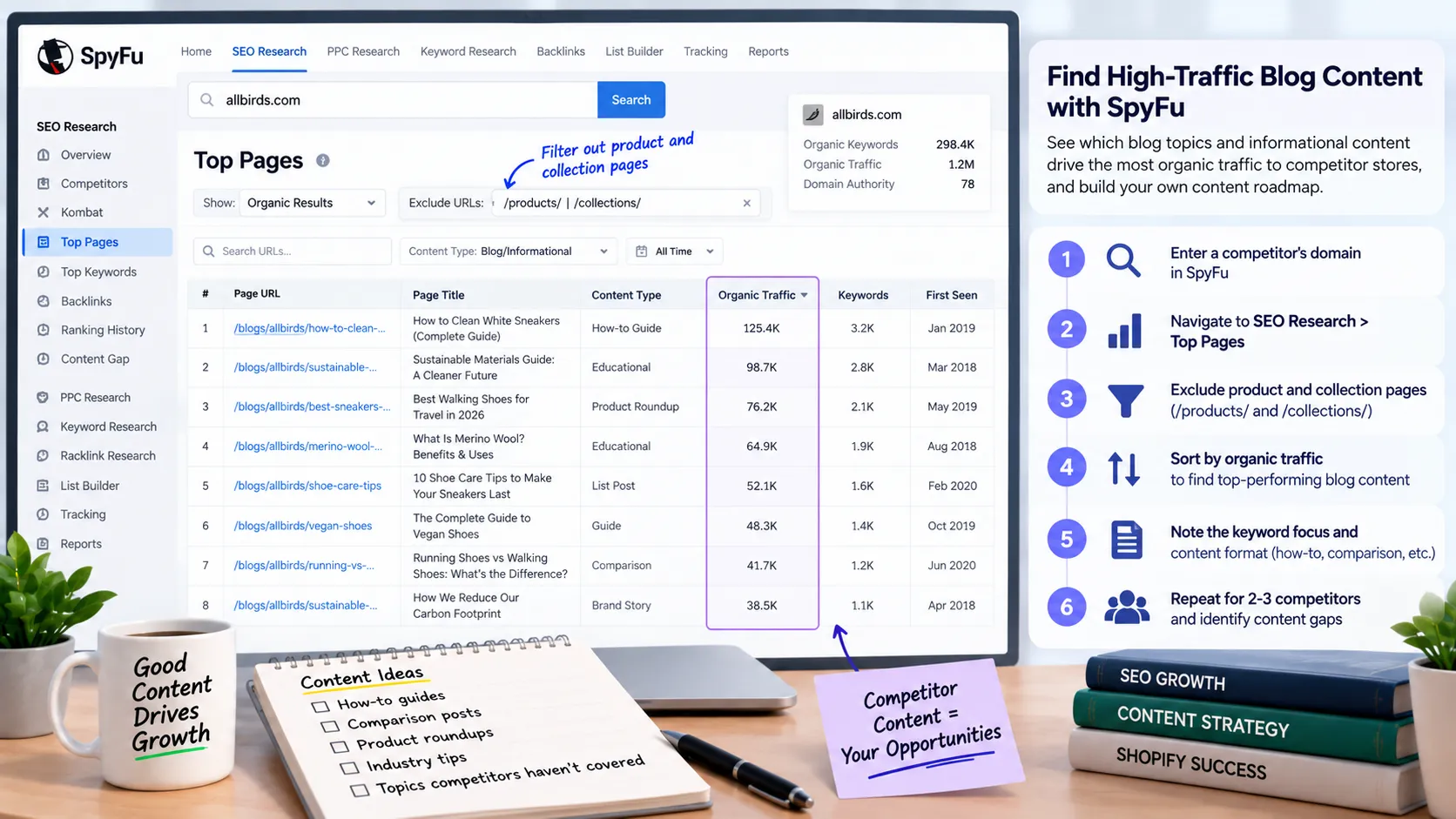
SpyFu content analysis ($39/month Basic plan or free 7-day trial):
- Enter a competitor's domain in SpyFu
- Navigate to SEO Research > Top Pages in the left sidebar
- Filter out product and collection pages by excluding URLs with
/products/and/collections/ - Sort remaining pages by organic traffic to identify top-performing blog content
- Note the keyword focus and content format (how-to guides, comparison posts, product roundups)
- Repeat for 2-3 competitors and identify content gaps: topics they haven't covered yet
Content replication strategy: Don't copy competitor topics word-for-word. Instead, look for patterns. If three competitors all have "gift guide" posts that rank well, you need a gift guide too. But make yours more comprehensive: add comparison tables, buying criteria, or video embeds that competitors lack.
A jewelry Shopify client was stuck at 1,200 monthly organic visitors. We used SpyFu to find that two competitors had "birthstone meaning" blog posts ranking for 40+ related keywords each. We created a more detailed birthstone guide with custom charts, historical facts, and product recommendations. That single post now drives 800 monthly visitors and converts at 3.1%, generating $4-5K in monthly revenue from SEO alone.
Common Mistakes to Avoid
The biggest mistake Shopify merchants make is collecting competitor data but never implementing changes. You'll find stores that have Ahrefs subscriptions, spreadsheets full of keyword research, and backlink lists — but their product pages still have 50-word descriptions and zero content strategy. Analysis without execution is worthless.
1. Analyzing the wrong competitors
Most merchants pick competitors based on similar products, not similar SEO strategies. A $10M Shopify Plus brand with 200 employees isn't your SEO competitor if you're a solo founder. Their strategy relies on resources you don't have. Focus on stores at your scale (similar Domain Rating and content output) or slightly ahead of you. The goal is to find replicable tactics, not aspirational case studies.
2. Ignoring collection pages entirely
Product pages get all the attention, but collection pages offer more SEO leverage for Shopify stores. A single optimized collection page targeting "best [product category] for [use case]" can rank for 50-100 related long-tail keywords. I've seen collection pages drive 10-20x more organic traffic than individual product pages in competitive niches. If your competitors aren't optimizing collection pages yet, you've found a shortcut to rankings.
3. Forgetting to track changes over time
One-time competitor analysis tells you where competitors are today. Monthly tracking reveals what's working and what they're doubling down on. Set a calendar reminder to re-export competitor keyword rankings and backlink profiles on the first Monday of each month. Look for new content, new backlinks, and ranking jumps. These signal where competitors are investing, which tells you where the opportunity is.
4. Skipping the mobile experience audit
Over 70% of Shopify traffic comes from mobile devices in 2026, yet most merchants only analyze competitors on desktop. Open competitor product pages on your phone and assess: How fast do they load? How many taps to add to cart? Is the font readable? Mobile UX differences often explain why a competitor converts better despite having similar desktop SEO metrics.
Results: What Success Looks Like
If you've followed this workflow correctly, you should have a spreadsheet with 50-100 target keywords (prioritized by difficulty and conversion intent), 10-15 link building targets, a list of technical SEO improvements, and 5-10 content ideas proven to drive traffic in your niche. This isn't data for data's sake — it's an execution roadmap.
Key metrics that indicate successful competitor analysis:
- Quick wins identified: 10-15 keywords where you rank positions 11-30 and competitors rank in the top 5 (these should move to page 1 within 60-90 days with on-page optimization)
- Content gaps found: 3-5 high-traffic topics that competitors haven't covered yet or covered poorly
- Technical parity: Your Core Web Vitals scores within 10% of top competitors
- Backlink targets: 15-20 domains that link to multiple competitors but haven't discovered your store yet
Next-level optimization: Once you've closed the gap on basic SEO (keyword optimization, technical health, content creation), focus on AI search optimization. Structure your product and collection pages to answer questions directly in the first 60 words. Add FAQ schema to every product page. Create comparison tables that AI systems can extract and cite. AI-referred traffic converted 50% higher than organic search in Q2 2026 and will only grow from here.
Frequently Asked Questions
What is the best free SEO tool for Shopify stores?
Google Search Console is the essential free tool for Shopify SEO. It shows which keywords drive traffic, which pages rank best, and where you have technical errors that hurt rankings. Pair it with the free BuiltWith Chrome extension to identify competitor platforms and the free version of Koala Inspector for Shopify-specific competitor intelligence. These three tools cover 70% of what small Shopify stores need for competitive analysis without spending a dollar.
How do I set up Google Search Console on Shopify?
Navigate to Online Store > Preferences in your Shopify admin, scroll to the Google Search Console section, and click to get your verification code. Copy the meta tag and paste it into the text field. Shopify automatically adds this to your theme's head section. Wait 24-48 hours for verification to complete, then you'll start seeing performance data in Search Console. The entire process takes less than 5 minutes.
Is Ahrefs worth it for a small Shopify store?
Ahrefs justifies its $99/month cost once your store hits $15K+ in monthly revenue. Below that threshold, stick with free tools and SpyFu's $39 plan. Ahrefs excels at backlink analysis and keyword research, but small stores usually can't execute on 100% of the insights it provides. Once you've maxed out free tools and have budget for link building outreach or content creation, Ahrefs becomes a force multiplier. The 7-day trial for $7 lets you extract competitor data without committing to the monthly fee.
What is the difference between StoreSEO and SearchPie?
Both are Shopify SEO apps that optimize product pages, collections, and technical SEO elements. StoreSEO ($29/month) focuses on bulk optimization, letting you fix meta tags and alt text across hundreds of products at once. SearchPie (free to $39/month) includes more advanced features like automatic JSON-LD schema, broken link detection, and AI-powered content suggestions. If you have 500+ products, StoreSEO's bulk editing saves hours. If you're under 200 products and want hands-off technical SEO, SearchPie's automation is stronger.
How often should I check competitor SEO data?
Monthly monitoring is the sweet spot for most Shopify stores. Check competitor keyword rankings, backlink growth, and new content on the first Monday of every month. This cadence catches trends early without becoming a time sink. If you're in a highly competitive niche with rapid changes (fashion, electronics), consider bi-weekly checks. Quarterly analysis is too infrequent in 2026 — competitors can launch content, build links, and steal rankings in 8-12 weeks. According to Mordor Intelligence's 2026 report, the SEO software market reached $83.98 billion because more merchants are analyzing competitors monthly, not quarterly, forcing you to match that pace.
Conclusion
You've just built a repeatable workflow that turns competitor intelligence into ranking improvements. The difference between merchants who grow organic traffic and those who stay stuck isn't access to tools or budget — it's execution consistency. Block 3-4 hours on your calendar right now to implement what you've learned: export competitor keywords, prioritize quick wins, and optimize your top 5 product or collection pages.
Remember: organic search converts at 2.8% for Shopify stores, 2.5x better than paid social. Every hour you invest in SEO competitor analysis compounds over time, unlike paid ads that stop working the moment you pause campaigns. Start with the free tools (Search Console, BuiltWith, Koala Inspector), prove the ROI, then upgrade to paid platforms when you have more insights than execution capacity.