How to Generate a Professional SEO Audit Report in 2026: Step-by-Step Guide
(Professional SEO audit)[/seo-audit] reports turn raw crawl data into actionable business intelligence. In 2026, Ahrefs found that 95.2% of websites have redirect chain issues, 88% struggle with HTTP/HTTPS redirects, and 72.3% contain slow-loading pages (Ahrefs SEO Statistics, June 2026). Yet most audit reports bury these critical findings in spreadsheet dumps that clients never read. A well-structured report prioritizes issues by business impact, explains technical problems in plain language, and provides clear next steps.
The difference between a good audit and a great one isn't the data—it's how you present it. This guide walks through the complete process of generating professional SEO audit reports that clients actually use, from initial crawl to final deliverable.
Key Takeaways
- Structure reports by business impact, not technical severity—fix revenue blockers first
- Use executive summaries with 3-5 priority fixes that non-technical stakeholders can approve immediately
- Include visual progress tracking so clients see ROI from previous recommendations
- Automate recurring reports monthly; reserve deep audits for quarterly reviews
Why SEO Audit Reports Matter More Than the Audit Itself
Running an SEO audit is the easy part. Any crawler can find broken links and missing meta descriptions. In 2026, 90.63% of pages receive zero organic traffic despite 53% of trackable website traffic coming from organic search (BrightEdge). This gap exists because teams don't act on audit findings—often because reports make action impossible.
[INTERNAL-LINK: technical SEO checklist → comprehensive guide to technical SEO fixes]
A professional audit report bridges the gap between data and decision-making. It translates technical issues into business language, prioritizes fixes by ROI potential, and assigns clear ownership. When Vodafone improved their Largest Contentful Paint by 31%, they saw an 8% increase in sales. When Agrofy improved LCP by 70%, load abandonment dropped 76% (Google Developers, 2025). These results didn't come from discovering the issues—they came from documenting them clearly enough that teams could act.
The best audit reports do three things: diagnose problems accurately, prioritize them correctly, and make implementation obvious. Everything else is noise.
Step 1: Define Report Scope and Audience
Before running a single crawl, clarify what you're auditing and who will read the report. Different stakeholders need different information. A CMO cares about traffic impact and competitive positioning. A developer needs specific file paths, line numbers, and code examples. An agency client wants progress tracking against previous audits.
Common audit scopes in 2026:
- Pre-launch audit: New sites before they go live. Focus: preventing launch day disasters (broken navigation, indexing blocks, redirect chains).
- Quarterly health check: Ongoing monitoring for established sites. Focus: trend analysis, competitive benchmarking, Content decay detection.
- Migration audit: Before/after site redesigns, CMS changes, or domain moves. Focus: URL mapping accuracy, redirect implementation, content parity.
- Recovery audit: Traffic drops or penalty investigations. Focus: algorithmic changes, manual actions, technical emergencies.
- Competitive audit: How you stack up against rivals. Focus: content gaps, backlink opportunities, technical advantages.
Define scope explicitly in the report's opening paragraph. "This audit covers 847 crawled pages on example.com, focusing on Core Web Vitals and indexation issues discovered between May 1-15, 2026." Set expectations immediately.
Step 2: Run Your Technical Crawl
Use a combination of tools to capture complete data. No single tool sees everything. In 2026, only 33% of websites pass Core Web Vitals thresholds (Ahrefs, June 2026), yet some tools miss performance issues entirely while others excel at them.
Essential crawl data to collect:
- Google Search Console: Real indexing status, actual search queries, genuine Core Web Vitals from Chrome User Experience Report. This is your ground truth—what Google actually sees.
- Desktop crawler (Screaming Frog, Sitebulb, Netpeak Spider): Full site structure, broken links, redirect chains, duplicate content, missing meta data, crawl depth analysis.
- PageSpeed Insights API: Lab-based performance metrics, Core Web Vitals assessment, specific optimization recommendations with estimated impact.
- Backlink analysis (Ahrefs, Majestic): Referring domains, toxic links, lost backlinks, anchor text distribution, competitive link gaps.
Run crawls during low-traffic periods to avoid impacting server performance. For sites over 10,000 pages, use crawl rate limiting (5-10 URLs per second maximum). Export all data to CSV before analysis—raw data proves invaluable when clients question specific findings.
Step 3: Categorize and Prioritize Issues
Raw crawl data dumps overwhelm readers. A professional report groups related issues and ranks them by impact. With 59.5% of sites missing H1 tags and 80.4% missing alt attributes (Ahrefs, June 2026), listing every instance creates 500-line spreadsheets nobody reads.
To structure your audit findings more effectively, consider using the FLOW Framework methodology. FLOW (Find, Learn, Optimize, Win) provides a proven evidence-led approach to prioritize SEO improvements based on data-driven insights rather than guesswork, helping you focus on changes that deliver measurable results.
Priority framework:
| Priority Level | Criteria | Examples | Typical Fix Time |
|---|---|---|---|
| P0 - Critical | Blocks indexing or causes business loss | Entire site noindex, SSL certificate expired, Core Web Vitals failing on conversion pages | Hours to 1 day |
| P1 - High | Significant traffic or revenue impact | 404 errors on top landing pages, mobile usability failures, canonicalization errors | 1-3 days |
| P2 - Medium | Moderate SEO impact, affects user experience | Missing meta descriptions, slow image loading, redirect chains | 1-2 weeks |
| P3 - Low | Best practices, minor improvements | Internal linking opportunities, schema markup enhancements, alt text optimization | Ongoing/backlog |
According to Semrush's 2026 research, 67% of enterprise sites run monthly technical audits while 42% monitor critical issues weekly. Sites that fix P0 issues within 24 hours see 3.2x faster traffic recovery than those that delay beyond one week, making rapid prioritization essential for audit ROI.
Group issues thematically: "Indexation & Crawlability" (robots.txt problems, XML sitemap errors, canonicalization), "Page Experience" (Core Web Vitals, mobile usability, HTTPS), "Content Quality" (thin content, duplicate pages, keyword cannibalization), "Technical Infrastructure" (structured data, hreflang, pagination).
Step 4: Create Executive Summary
The executive summary determines whether anyone reads the rest of your report. Write it last, after analyzing all data, but place it first in the final document. Decision-makers read only this section—if it doesn't compel action, nothing will.
Executive summary structure (max 1 page):
-
Overall health score (0-100): Combine all issues into a single metric. "Your site scores 67/100, down from 71/100 last quarter."
-
Top 3-5 priority fixes: Business impact first, technical details second. "Fix 1: 23 high-traffic pages return 404 errors, losing an estimated 1,200 monthly visits worth $4,800 in revenue (based on $4 average conversion value). Estimated fix time: 4 hours."
-
Traffic impact forecast: Quantify potential gains. "Implementing all P0 and P1 fixes could recover an estimated 18% of lost organic traffic within 60 days."
-
Competitive context: Where you stand. "Your site's Core Web Vitals pass rate (41%) trails competitors (avg 58%), costing you visibility in speed-sensitive queries."
-
Investment required: Resource estimate. "Full implementation: 32 developer hours (P0-P1), 16 content hours (P2), estimated 2-3 week timeline."
Use plain language. Replace "canonical tag implementation errors affecting URL consolidation" with "15 pages compete against each other in search results, splitting their ranking power."
Step 5: Document Findings with Visual Evidence
Screenshots prove issues exist and make problems concrete. When you tell a client "your mobile navigation is broken," they'll test it on their iPhone and say "works fine for me." When you show three screenshots of different devices with the menu collapsed and inaccessible, the discussion ends.
Essential visuals for every audit:
- Before/after comparisons: Show the issue, then mock up the fix. Use red boxes to highlight problems, green to show corrections.
- Device comparisons: Desktop vs mobile vs tablet views for usability issues.
- SERP presence: Screenshot search results showing where you rank (or don't) for target keywords.
- Competitor comparisons: Side-by-side PageSpeed scores, structured data implementation, content depth.
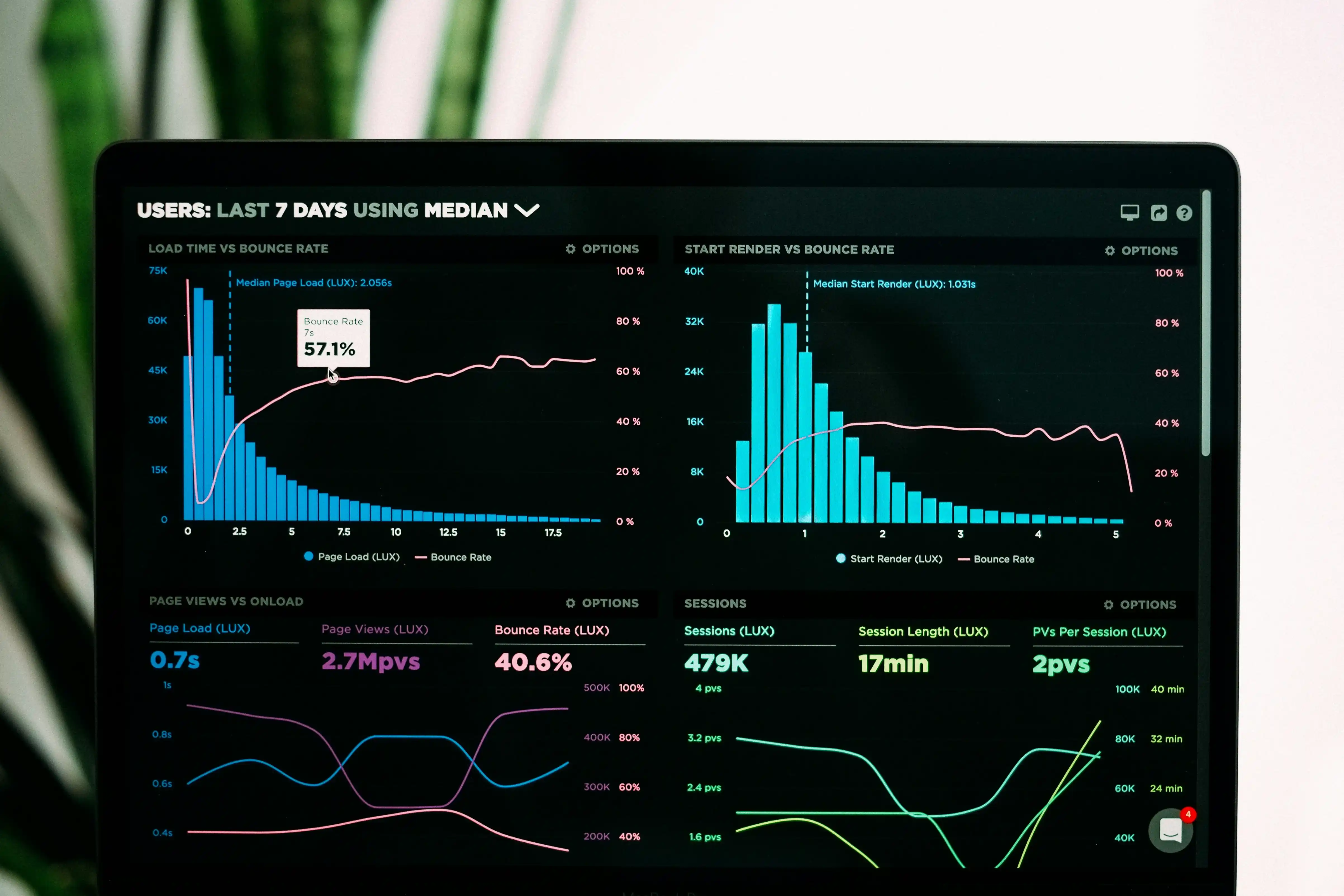
- Trend charts: Traffic over time, Core Web Vitals historical data, crawl error progression.
For streamlined report generation, Rankety's SEO Audit tool automatically creates professional reports with visualizations, prioritized recommendations, and actionable fixes—saving hours of manual work. If you're an agency managing multiple clients, the White Label SEO feature lets you customize reports with your own branding, making client deliverables look professionally tailored to your agency.
Step 6: Provide Actionable Recommendations
Every issue needs three things: what's wrong, why it matters, and how to fix it. Most audit reports stop at "what's wrong"—they list problems without solutions, forcing clients to figure out implementation themselves.
Recommendation template:
Issue: Missing H1 tags on 127 product pages
Impact: Reduces topic relevance signals; pages rank 15-20% lower for target keywords
Priority: P2 (medium)
Estimated effort: 8 hours (template update)
How to fix:
  1. Update product template: /themes/custom/templates/product.php
  2. Add line 23: <h1><?php echo $product_title; ?></h1>
  3. Clear cache and verify on staging
  4. Deploy to production, monitor for 48 hours
Expected outcome: Improved on-page relevance; monitor rank changes over 30 days
Include code snippets when possible. Developers shouldn't need to research how to implement your recommendations. For complex fixes, link to official documentation (Google Search Central, MDN, W3C specifications).
Separate quick wins from long-term projects. "These 5 fixes take under 2 hours and could recover 8% of lost traffic" motivates immediate action. "This site architecture overhaul will take 3 months but reduces crawl budget waste by 60%" sets proper expectations.
Step 7: Set Up Progress Tracking
Audit reports without follow-up waste everyone's time. Build accountability into the report structure by including a progress tracking section. This transforms a one-time deliverable into a living document.
Progress tracking components:
- Issue tracker table: List all P0-P2 issues with columns for Status (Not Started / In Progress / Completed), Assigned To, Target Date, and Actual Completion Date.
- Implementation checklist: Granular tasks for each major recommendation. "Update robots.txt ☐ Test staging ☐ Deploy production ☐ Verify in GSC"
- Monitoring dashboard link: Point to Google Data Studio, Looker, or internal analytics showing key metrics (organic traffic, Core Web Vitals, crawl errors).
- Next audit date: Schedule the follow-up. "We'll re-audit on September 15, 2026, focusing on implementation verification and new issue discovery."
For recurring clients, include a "Progress Since Last Audit" section comparing this quarter's findings to the previous report. Show fixes implemented, issues resolved, and new problems discovered. This proves ROI and justifies continued SEO investment.
Use conditional formatting in tracker tables: green for completed, yellow for in progress, red for overdue. Visual status indicators communicate progress at a glance.
Step 8: Format for Multiple Audiences
Your audit will have multiple readers with different needs. The developer needs technical specifics. The CMO needs business justification. The content team needs editorial guidance. One monolithic document satisfies nobody.
Multi-audience report structure:
- Executive summary (1 page): For C-level and budget approvers
- Key findings (2-3 pages): For marketing managers and project leads
- Technical appendix (unlimited): For developers and implementation teams
- Content recommendations (separate section): For editorial teams
- Quick reference guide (1 page): Top 10 fixes in order of priority
Consider delivering reports in multiple formats:
- PDF: Official record, easy to email and archive
- Google Slides/PowerPoint: For presentation meetings
- Google Sheets/Excel: For technical teams who want sortable data
- Notion/Confluence: For collaborative implementation tracking
- Video walkthrough (5-10 minutes): Screen recording explaining key findings
Label each section with its target audience. "For Developers: Canonical Tag Implementation Details" signals that marketers can skip ahead. "For Marketing Team: Content Gap Analysis" focuses content strategists without drowning them in technical specifics.
Step 9: Automate Recurring Reports
Monthly audit reports shouldn't require 8 hours of manual work. In 2026, 67% of enterprise sites automate recurring SEO monitoring (Semrush Blog, 2026). Automation shifts effort from data collection to analysis and strategy.
Automation workflow:
- Scheduled crawls: Set up weekly or monthly crawls in your audit tool (Screaming Frog has command-line scheduling, Sitebulb has Windows Task Scheduler integration).
- API data pulls: Use Google Search Console API to fetch performance data, Core Web Vitals API for speed metrics, backlink APIs for link profile changes.
- Data transformation: Python or R scripts to clean, categorize, and prioritize issues automatically.
- Report generation: Tools like Looker Studio, Power BI, or custom scripts to populate report templates with fresh data.
- Change detection: Automated alerts when critical metrics drop (traffic down 20%, new 404 errors, Core Web Vitals failing).
For recurring clients, maintain a baseline audit and report only on changes. "15 new issues discovered this month: 8 broken links, 4 new slow pages, 3 missing canonical tags." This focuses attention on emerging problems rather than re-documenting the same issues quarterly.
Scripts for common automations: Google Apps Script for GSC data extraction, Python + Requests library for API calls, GitHub Actions for scheduled crawl triggers. Open-source templates available at github.com/technical-seo-tools.
Step 10: Deliver and Present Effectively
The final step determines whether your audit drives action or gets filed and forgotten. Delivery method matters as much as content quality. Email attachments get skimmed. Scheduled presentations with screen sharing get full attention.
Effective delivery checklist:
- Schedule a live walkthrough (30-45 minutes): Present key findings, explain priorities, answer questions immediately.
- Share the report 24 hours before the meeting: Let stakeholders review independently first, come prepared with questions.
- Start with wins: Show what's working before diving into problems. "Your backlink profile grew 12% this quarter" makes the audience receptive.
- Use the "rule of three": Focus the discussion on three priority fixes, even if the report lists dozens. Cognitive overload kills action.
- End with next steps: Clear assignments. "John will update the robots.txt by Friday. Sarah will brief the content team next Monday. We reconvene June 15 to review progress."
Record the presentation for team members who can't attend. Upload to Loom, Zoom Cloud, or your knowledge base. Add the recording link to the report itself for future reference.
Follow up one week later. "Checking in on the three priority fixes we discussed—any blockers?" Light-touch accountability prevents audit recommendations from dying in backlogs.
Frequently Asked Questions
How long should a professional SEO audit report be?
Length depends on site size and scope, but aim for 15-25 pages for the main report plus technical appendices. Executive summary should be 1 page maximum. In 2026, Sitebulb reports average 32 pages for comprehensive audits, but only the first 8 pages get read regularly. Front-load critical information and move reference material to appendices.
How often should I run SEO audits?
Run quarterly full audits for most sites, with monthly monitoring of key metrics (Core Web Vitals, crawl errors, indexation). E-commerce sites need monthly audits due to rapid product changes. After site migrations or redesigns, audit daily for the first week, then weekly for 30 days. Semrush recommends weekly checks for P0 issues even on stable sites.
What's the difference between automated reports and manual audits?
Automated reports excel at recurring monitoring—catching new issues, tracking metrics over time, alerting on threshold breaches. Manual audits provide strategic analysis: Why did traffic drop? How do we compare to competitors? What's our content gap? Use automation for routine monitoring (monthly), reserve manual deep-dives for quarterly strategic reviews and major initiatives.
Should I include competitor analysis in SEO audit reports?
Yes, but in a separate section. Competitive context shows stakeholders where they stand and justifies investment. Include 3-5 direct competitors, comparing metrics like Domain Authority, Core Web Vitals pass rates, indexed pages, content depth, and keyword rankings. With 90.63% of pages getting zero traffic, showing that competitors face similar challenges (or don't) frames your recommendations effectively.
What tools generate the best audit reports?
No single tool does everything. Combine Screaming Frog for technical crawling (£149/year), Google Search Console for indexation truth (free), PageSpeed Insights API for Core Web Vitals (free), and Ahrefs or Semrush for backlinks ($99-139/month). Sitebulb ($39/month) generates excellent visual reports. For automation, Looker Studio (free) or Power BI ($10/user/month) create dashboards from API data.
Conclusion: From Data to Decisions
Professional SEO audit reports transform technical findings into business action. The difference between reports that gather dust and those that drive results isn't the quality of the audit—it's the clarity of the presentation. Structure your reports by business impact, speak the language of your audience, and provide specific implementation steps.
Start with the executive summary. Focus on three priority fixes that deliver measurable results. Use visuals to prove issues exist. Provide code-level detail so developers can implement without guesswork. Track progress over time to demonstrate ROI.
The best audit report answers three questions immediately: What's broken? What will it cost us if we don't fix it? What exactly should we do next? Everything else is supporting evidence.
Remember that audit reports serve two purposes: they document current state and they sell future work. A well-crafted report makes the case for SEO investment by showing both problems and opportunities. When you can tell a client "fixing these five issues could recover $15,000 in monthly organic revenue," the next audit sells itself.